2 min read

MFA & Access Controls: Practical Security for Hybrid Nonprofit Teams

MFA & Access Controls: Practical Security for Hybrid Nonprofit Teams

Technology has created a space where nonprofit teams can work from home offices, coffee shops, and shared community spaces. While we champion this advancement, there are elements that pose potential security risks. Using a personal device loaded with unsupervised tools or logging into a public Wi-Fi network could be detrimental not only to your team but also to your impact as a whole.

This sounds incredibly dramatic, but the truth is, a few minor habits can keep your team cybersafe. Multi-factor authentication (MFA) and disciplined password management are common knowledge, but are your teams using these tools correctly and often? Let’s dive into best practices for protecting your mission through strong password management.

Why MFA Comes First

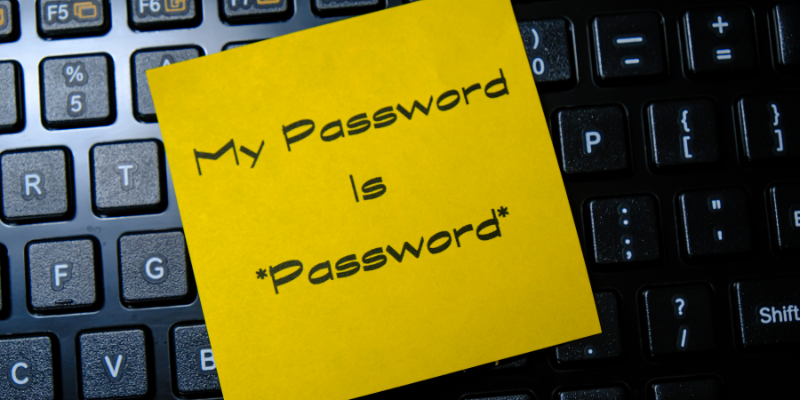
Let’s be honest, we’ve all been there, using the same password across different platforms because we know we’ll remember it. Or writing passwords down on sticky notes, pasted around our office space. Unfortunately, the reality is passwords get phished, reused, and leaked in breaches all the time.

Simply setting up MFA with an additional phone password or fingerprint associated with an account adds a second barrier for your information. For resource-strapped nonprofits, MFA is one of the highest-impact, lowest-cost security investments available.

Where to start:

  • Email and file storage first. Google Workspace and Microsoft 365 both offer free, built-in MFA — enable it organization-wide before anything else.

  • Donor and financial systems next. CRMs, payment processors, and accounting software hold your most sensitive data and deserve the same protection.

  • Use an authenticator app over SMS when possible. Text-message codes are better than nothing, but app-based codes (Google Authenticator, Microsoft Authenticator, Duo) or physical security keys resist SIM-swapping attacks that SMS can’t.

Password Management That Staff Will Actually Use

Policies fail when they’re inconvenient or difficult to implement. A password manager — like LastPass (which offers nonprofit discounts) — removes the friction by generating and storing strong, unique passwords so your team doesn’t have to memorize them or reuse the same one everywhere. This is incredibly helpful for teams of all sizes!

Set a simple standard:

  • One password manager, used org-wide, with shared vaults for team-accessed accounts (like your social media logins) instead of passwords in a spreadsheet or sticky note.

  • Unique passwords for every account — reuse is how one small breach becomes a big one.

  • A written offboarding checklist so departing staff and volunteers lose access immediately, not “eventually.”

Access Controls for a Distributed Team

MFA and passwords protect the front door and, truthfully, the whole house. Access controls decide what happens once someone’s inside.

  • Principle of least privilege: Give people access to only what their role requires — not everyone needs admin rights to your donor database.

  • Role-based permissions: Set up access tiers (staff, board, volunteers, contractors) once, rather than deciding case-by-case.

  • Regular access reviews: Quarterly, check who has access to what and revoke anything outdated — especially for volunteers and seasonal staff.

  • Device awareness: If staff use personal devices, require screen locks and basic encryption, even if you can’t manage the device directly.

Making It Stick

To ease your team into better cybersecurity practices, roll out changes with a short training session, written instructions with screenshots, and a named point of contact for questions. Frame it around what matters to your team: this isn’t red tape; it’s protecting the donor trust and community relationships your mission depends on. Start with MFA on your top three systems this month. Everything else can follow at a pace your team can sustain.

Get Your Team Set Up Today

Cybersecurity for nonprofits isn't about locking everything down until work grinds to a halt; it's about making a few smart defaults so second nature that your team barely notices them. MFA, strong unique passwords, and thoughtful access controls won't stop every threat, but they close the doors that most attacks walk through. That's a meaningful trade for a small amount of setup time.

You don't have to figure this out alone, and you don't have to do it all at once. RoundTable Technology partners with nonprofits every day to build security practices that fit real teams, real budgets, and real constraints — not a generic checklist.

Ready to get your team cybersafe?

Chat with our team to build an MFA and access control plan that protects your mission without slowing it down.

Safeguarding Sensitive Data: Essentials Every Nonprofit Should Know

1 min read

Safeguarding Sensitive Data: Essentials Every Nonprofit Should Know

Data breaches are more than just a tech snag—they can be downright disastrous, especially for nonprofits. If you work in this sector, you're likely...

Read More
Not All Tech is Created Equal: A Quick Framework for Evaluating Third-Party Vendors

1 min read

Not All Tech is Created Equal: A Quick Framework for Evaluating Third-Party Vendors

Your nonprofit runs on technology. From donor management systems to volunteer coordination platforms, third-party digital tools have become the...

Read More
How Safe Is Your Data? Questions Every Nonprofit Leader Should Ask

1 min read

How Safe Is Your Data? Questions Every Nonprofit Leader Should Ask

When was the last time you lost sleep worrying about your nonprofit's data security? If the answer is "never," you might want to grab a cup of...

Read More