Travel season is just around the corner, and for nonprofits, that often means packed calendars full of site visits, donor meetings, and conference hallways (hello, NTC 2026). While you’re focused on learning and connecting, your tech is quietly doing a lot of heavy lifting: holding sensitive files, managing logins, and storing the data your mission depends on.
Protecting your mission needs to be extra intentional when traveling, as managing cybersecurity on the go presents additional challenges. Airports, hotels, rideshares, and conference centers are some of the easiest places for devices (and your information) to slip out of your control. Luckily, with proper planning, you can dramatically reduce risk without adding stress!
Here’s a simple Technology Travel Checklist you can use before you head out on your next journey.
1) Prep your devices before you leave 
Think of this as the “seatbelt” step...small effort, big payoff.
-
Update everything: Run updates for your laptop, phone, browsers, and key apps before you travel. Updates often patch security holes. Plus, having a random phone update mid-travel is no fun.
-
Back up what matters: If your device is lost or stolen, you want your files safe and recoverable.
-
Turn on full-disk encryption: Many devices already support this, but double-check that yours is enabled.
-
Enable Find My Device (or the equivalent): So you can locate, lock, or wipe a device if needed.
-
Use strong passcodes + auto-lock: Skip the “I’ll remember it” shortcuts (even though they’re convenient). While on the road is exactly when you need protection most.
2) Lock down your accounts (because passwords alone aren’t enough)
If someone gets into one account, they can often hop into others. The goal is to make that chain reaction impossible to breach.
-
Turn on multi-factor authentication (MFA) for email, file storage, and any tool with donor or client data.
-
Use a password manager instead of saving passwords in browsers or notes apps.
-
Review “trusted devices” for important accounts and remove anything you don’t recognize.
3) Travel smart with Wi-Fi and charging

Public internet and public USB charging can be riskier than they look.
- Avoid logging into sensitive systems on public Wi-Fi unless you’re using a secure connection (like a VPN).
- Use your phone hotspot when possible for quick, safer access.
- Bring a wall charger (not just a USB cable) and skip unknown charging stations if you can.
4) Protect your data in real life, too
Cybersecurity isn’t only digital...especially when you’re on the move.
-
Keep devices with you (not checked luggage, not unattended tables).
-
Use a privacy screen if you’ll be working in public spaces.
-
Be mindful of shoulder-surfing in lines, lobbies, and session rooms.
-
Never leave badges, laptops, or phones visible in cars, even “just for a minute.”
5) Have a quick “uh-oh” plan 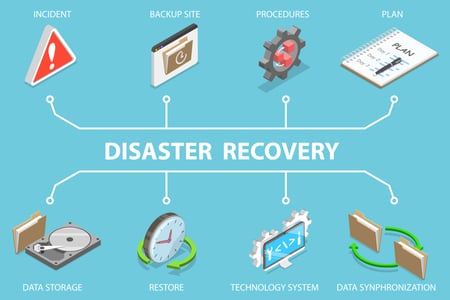
If something goes sideways, speed matters. Make sure your team knows:
-
Who to contact if a device is lost
-
How to reset passwords fast
-
How to revoke access or wipe a device remotely
-
Where backups live
Even a simple one-page response plan can save hours (and headaches) while troubleshooting.
Detroit is calling, is your tech ready to answer?
NTEN's Nonprofit Tech Conference (NTC) is one of the best weeks of the year for nonprofit learning and connection. Please don't let a security slip steal the spotlight. Before you head to Detroit, take a few minutes to make sure your devices, accounts, and data are road-ready.
.png?width=600&height=300&name=Community-NTC%20Email%20%232-7%20(1).png)
RoundTable Technology is here to make sure technology is the last thing on your mind when you're out there doing the work that matters most.
Let's connect before you hit the road, schedule a free discovery call today!

.png?width=400&height=111&name=logo-roundtable-r2%20(1).png "logo-roundtable-r2 (1)")
 Korrin Wheeler

 Korrin Wheeler : Jan 30, 2026 2:57:47 PM

.png)